
Partner Layout
The partner layout is intended for websites related to collaborations, joint projects, or jointly sponsored initiatives in which the University of Basel participates alongside one or more partner organizations.
Unlike regular University of Basel websites, these sites feature multiple institutional sponsors. The partner layout makes it possible to highlight this collaboration right in the brand panel and to display the logos of the participating organizations appropriately.
Examples
Websites that use the partner layout include, for example:
| Zschokke House | https://zschokkehaus.unibas.ch/de/ |
| Trans-Local Food Coalitions (TLFC) | https://translocalfoodcoalitions.org/en/ |
| TRACR-IN | https://tracr-in.nursing.unibas.ch/en/ |
Display in the Brand Panel
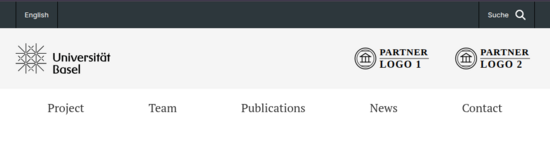
In the partner layout, the University of Basel logo remains on the left side of the Brand Panel. The logos of the collaborating partners are displayed on the right side.
Up to four partner logos can be displayed.
Brand Panel Color
For collaborations with external partner organizations, a light gray background is used for the Brand Panel:
#F5F5F5
This color value corresponds to 50% of the University of Basel’s gray.
For collaborations exclusively within the university, the Brand Panel retains the University of Basel’s standard mint color.
Logos and Descriptors
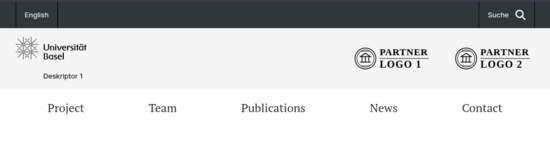
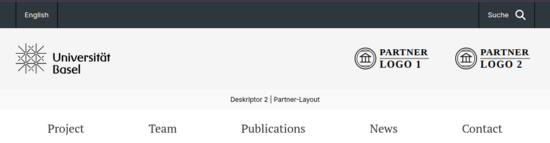
Four variants are provided for the Brand Panel. They result from the combination of two optional descriptors. The arrangement and size of the partner logos remain unchanged.
Descriptor 1
Descriptor 1 is displayed directly below the University of Basel logo. To ensure there is sufficient space for this, the university logo is displayed slightly smaller within the Brand Panel. Together, the logo and descriptor occupy the same space as the university logo without a descriptor. The partner logos remain unchanged.
Descriptor 2
Descriptor 2 is centered in an additional narrow strip below the Brand Panel. The display of the logos in the Brand Panel remains unchanged.
Both descriptors can be used independently of one another. This results in four possible variations:
Request a Partner Layout
You can specify this when applying for a new easyWeb website or request it for an existing website through ITS Support.